Annual Subscription with Card

Quick guide to registering, subscribing, and issuing your card

Follow this step-by-step process calmly. The process is simple: first, you do the pre-registration, then confirm your access, make the annual subscription, and complete your profile.

Access Link

To start, visit:

Open registration page

Before you begin

Have your email, ID, phone, and ZIP code ready.

During the process, you'll also need to create a password with at least 6 characters.

After payment is confirmed, you'll need to complete your profile. Once approved by a teacher, your card will be issued.

Complete step-by-step guide

See below each step explained simply.

1

Pre-registration

Access the registration site and provide your email.

Go to sasteamofficial.com/cadastro
Enter your email
Click Send Link
2

Confirmation

You will receive an email with a unique link to continue.

Open the received email
Click on the confirmation link
Fill in Full Name and Password
Click Finish
3

Login and subscription

After finishing, you will be directed to the login screen.

Log in with your email and password
Choose the payment method
Enter ID, Phone, and ZIP code
Click Pay Now
4

Profile and card

After payment confirmation, you will be redirected to My Profile.

If your profile is empty, create your profile
Continue registration normally
Wait for teacher approval
Your card will be issued

Detailed explanation

1. Pre-registration
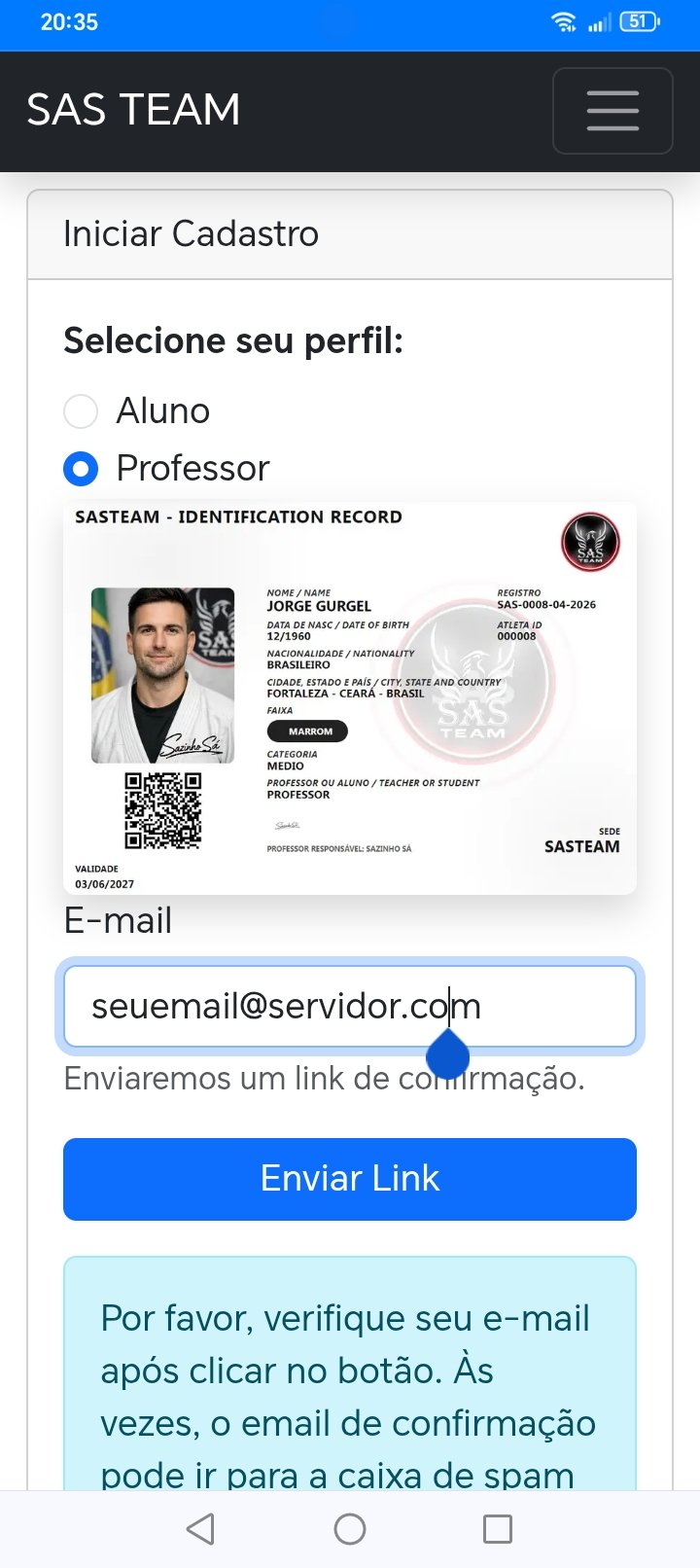
Informar seu e-mail

The first step is to enter your email on the registration page.

As soon as you click Send Link, the system will send a unique access for the continuation of the process.

2. Confirmation of registration
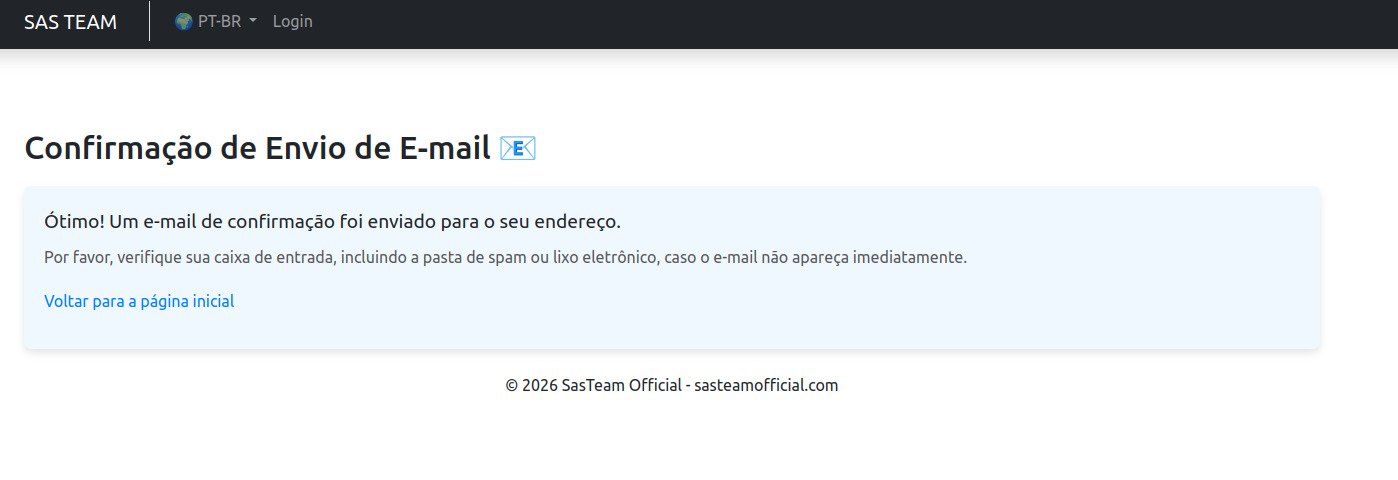
Confirmar seu e-mail

In the received email, click on the link sent.
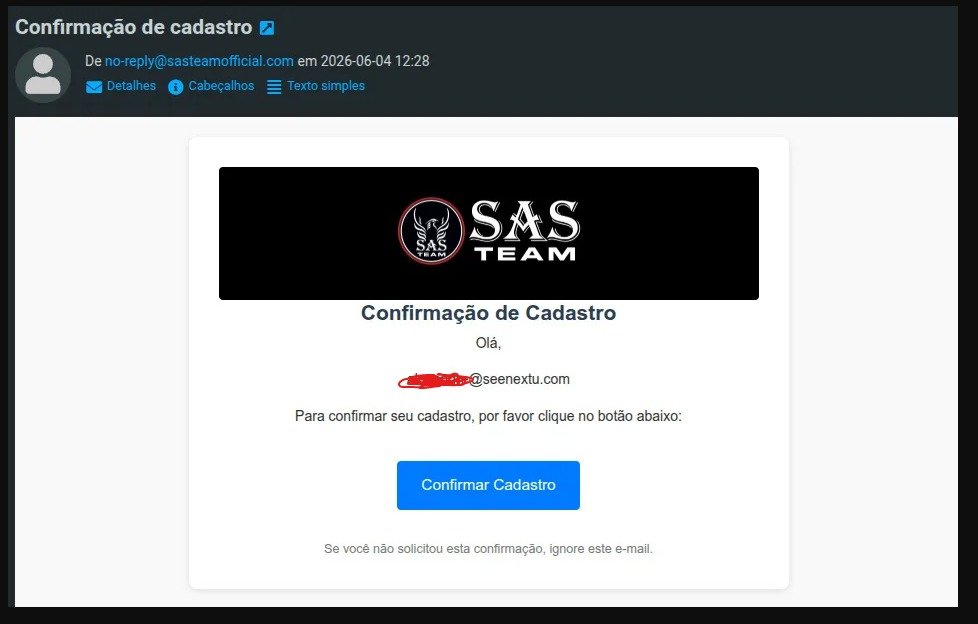
Confirme seu e-mail

Next, an initial mini-profile will be created. In this step, you must fill in:

  • Full Name — it is necessary to type the full name
  • Password — must have at least 6 characters
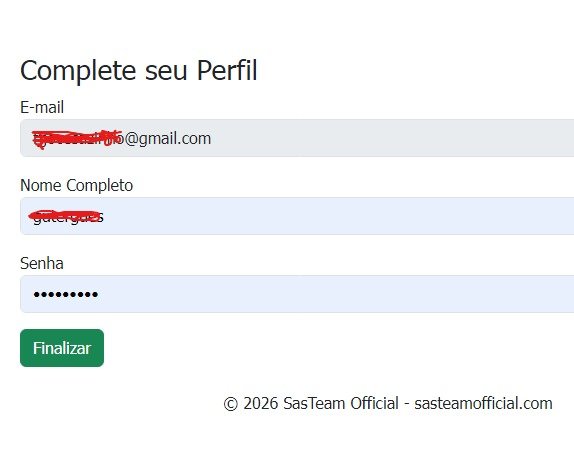
Mini Perfil

After that, click Finish.

3. Login and annual subscription

After finishing, you will be taken to the login screen.

Log in with your registered email and password. Then, choose the payment method and fill in the requested data:
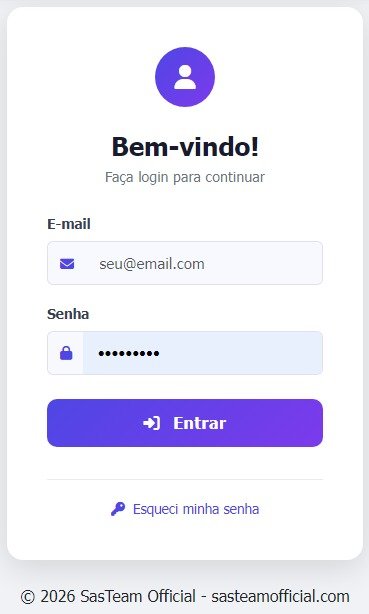
Login
  • Phone
  • ZIP code

When finished, click Pay Now.
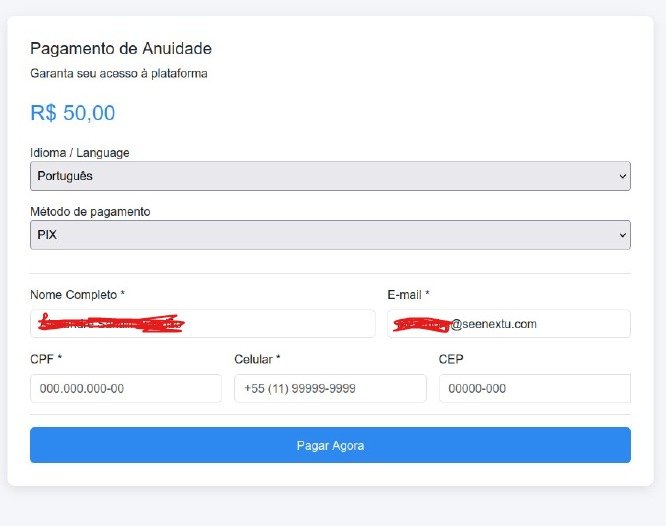
Tela de Pagamento

4. After payment

When the payment is confirmed, you will be redirected to the My Profile area.
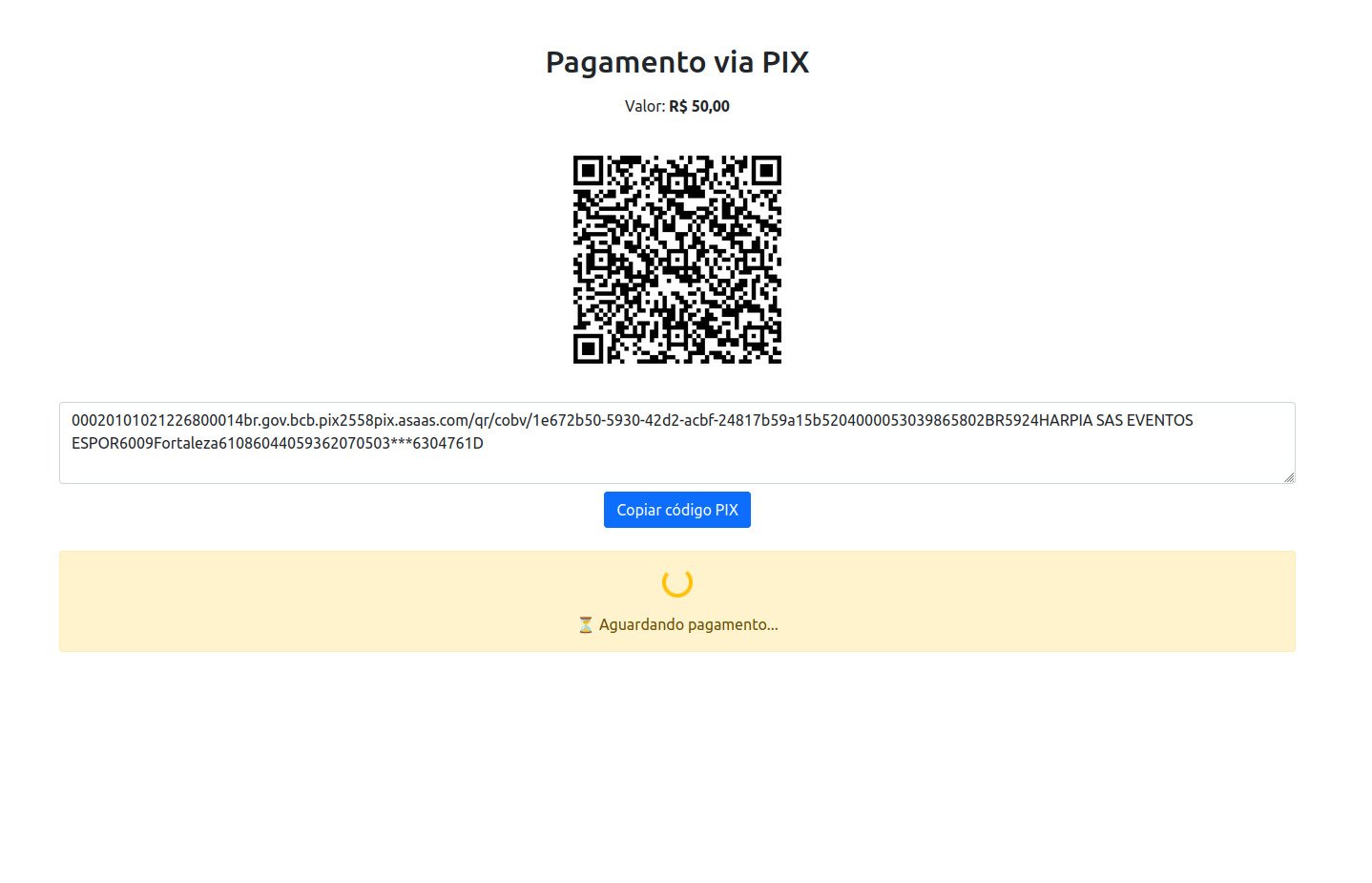
Tela de Efetivar Pagamento

If you haven't created a profile before, this area may appear empty. In this case, just create the profile and continue registration normally.

After your registration is complete and approved by a teacher, your card will be issued.
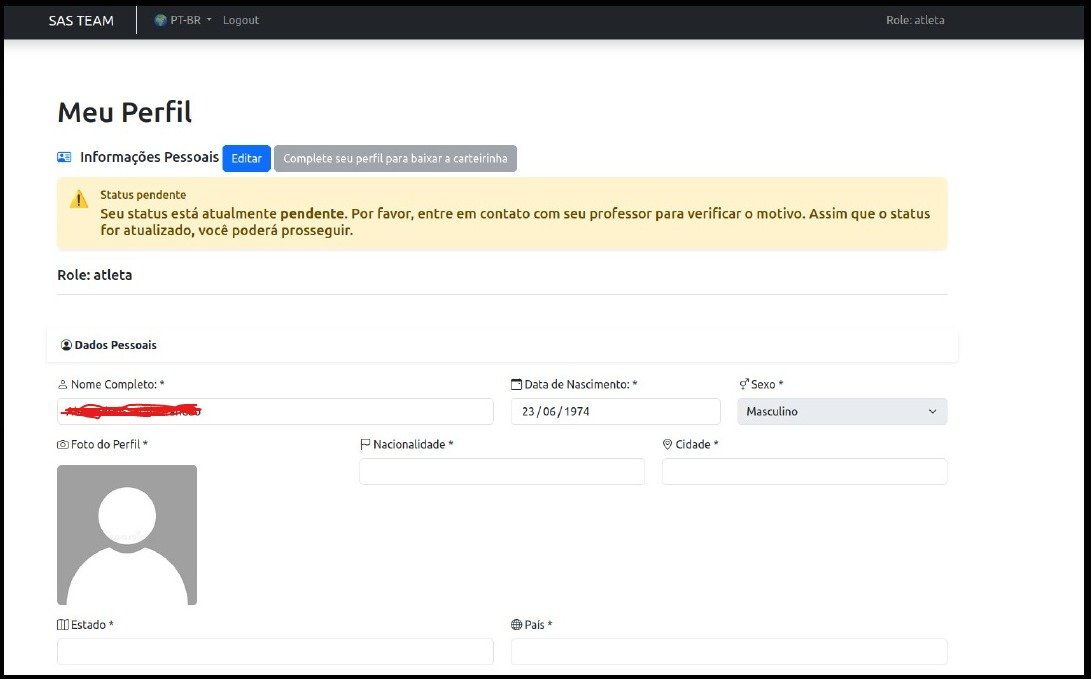
Tela de Perfil Completo

Quick summary

1. Enter your email during registration
2. Click the link received by email
3. Fill in full name and password
4. Log in to the system
5. Choose payment and provide ID, phone, and ZIP code
6. Complete your profile after payment
7. Wait for approval to issue the card

Important

Use a valid email with access.

Without the link sent by email, it will not be possible to continue the process.

Attention

Enter your full name correctly.

The password must have at least 6 characters to complete the initial registration.

Frequently Asked Questions

Check your inbox, spam, junk, or promotions. If necessary, try to redo the pre-registration with the correct email.

Yes. The full name is mandatory to properly start your profile.

You will be redirected to the My Profile screen. Then, you should complete your registration normally.

The card will be issued after complete registration and approval by a teacher.

Ready to start?

Click the button below to begin your pre-registration and follow the step-by-step.

Start registration